Building a ComfyUI pipeline
Could ComfyUI replace tools like Substance Designer or Painter for game-ready material asset generation?
My honest take: Not completely.
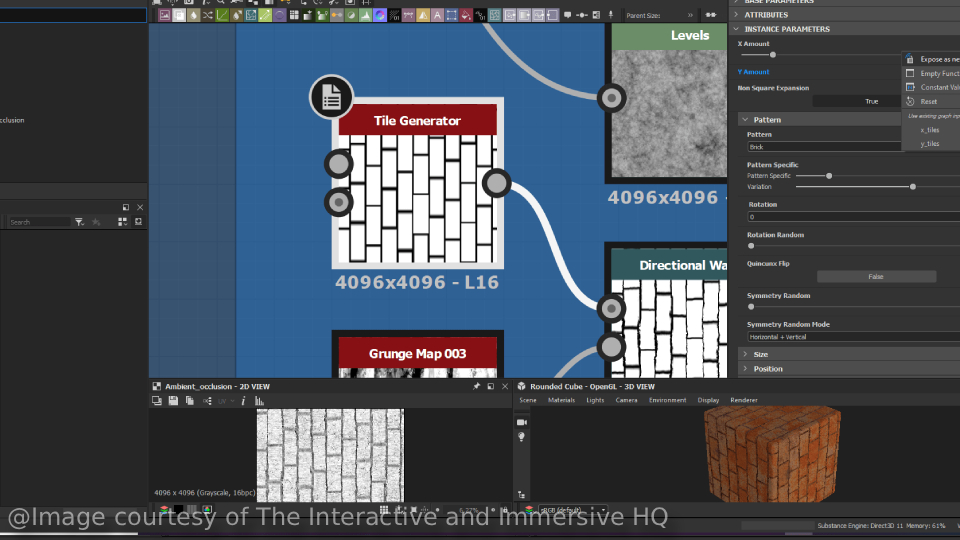
When you create base maps and other information maps from scratch, you're texturing your designs. You're giving life to an idea you conceived,
whether that's a high-detail hero asset in Painter or an intricate pattern built in Substance Designer. A trained model inside ComfyUI, by default,
isn't creating anything new. It's adapting and generating assets by referencing the samples it was trained on.
A good analogy comes from a drawing or painting class. Students first learn patterns and styles, usually mimicking what they absorb from their teacher.
A more experienced artist, however, can create new work from their own unique blueprint. And that's usually what we love about art: seeing the footprint
of the artist in any piece. Digital work is no exception to that rule.
Having said that, diffusion models and AI in general are genuinely good at taking something already created and adding detail to it, or transferring ideas
and concepts into a different context. That said, I strongly believe it works effectively only when the source material already has a clear identity. In
the meantime, many of these models are proving their worth at prototyping ideas and helping clarify what we want to go after.
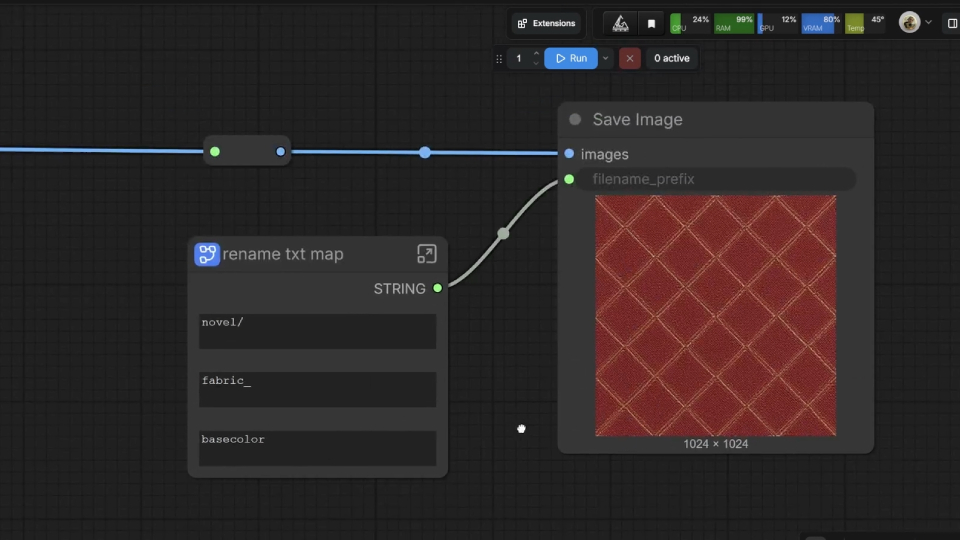
What I'm sharing today is a texture asset generation and management pipeline. It's not meant to output 4K assets, delegate creative decisions to AI, or serve
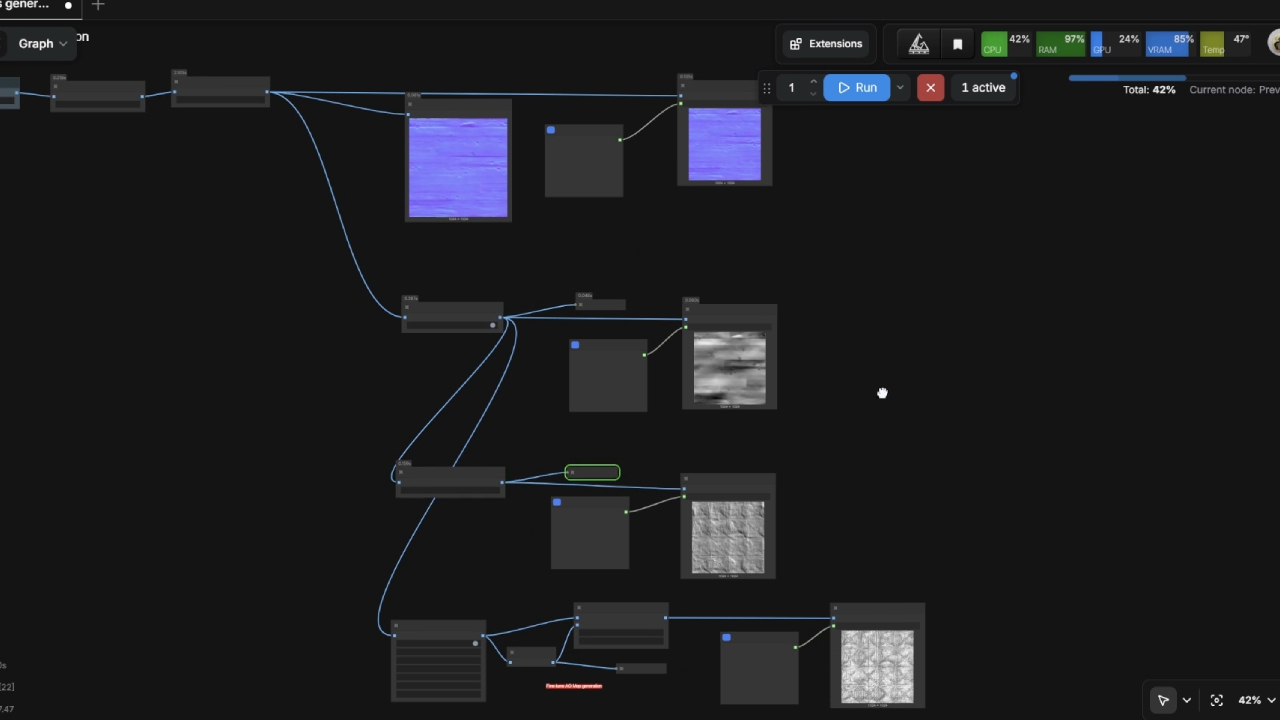
as a one-size-fits-all solution for internal library organization. What it does: it generates base color maps and other information maps such as normal, roughness,
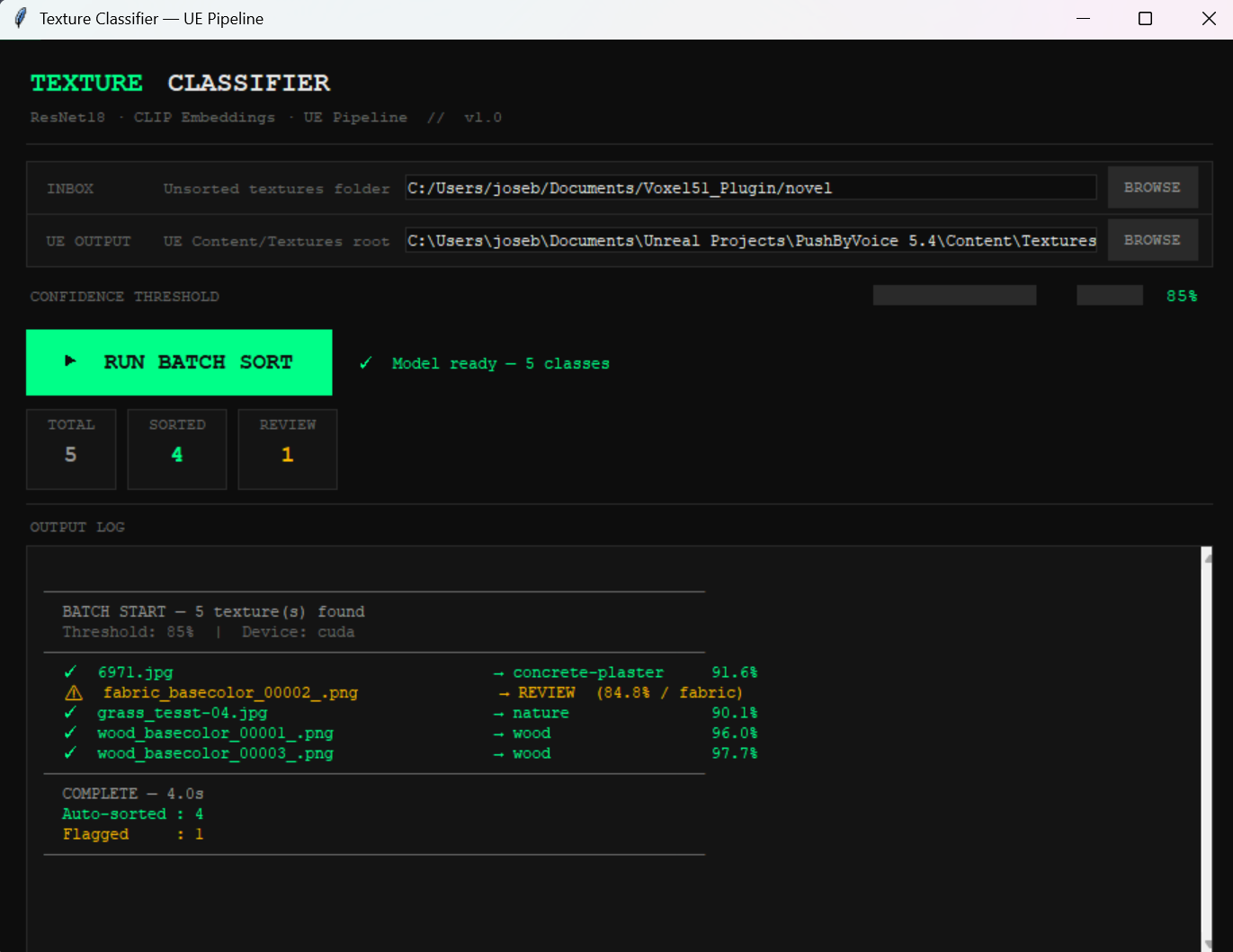
and height maps and applies machine learning to classify and sort new or unseen textures into their respective folders automatically. Folder categories could
include brick, plaster, or fabric, for example.
Model effectiveness, however, heavily depends on data collection. For this phase, I trained my model on 180 samples, mainly sourced from online repositories like
Megascans, Polyhaven, and 3dtextures. A better baseline for this kind of scenario would be at least 500 samples distributed across the target folders. That's
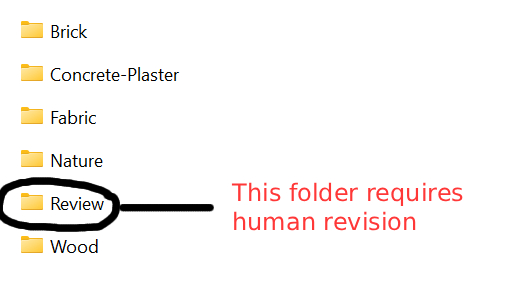
also why I implemented a validation gate that activates whenever the model can't confidently assign a sample to a category. In those cases, the asset gets routed
to a separate "human review" folder, keeping a person in control of edge-case sorting.
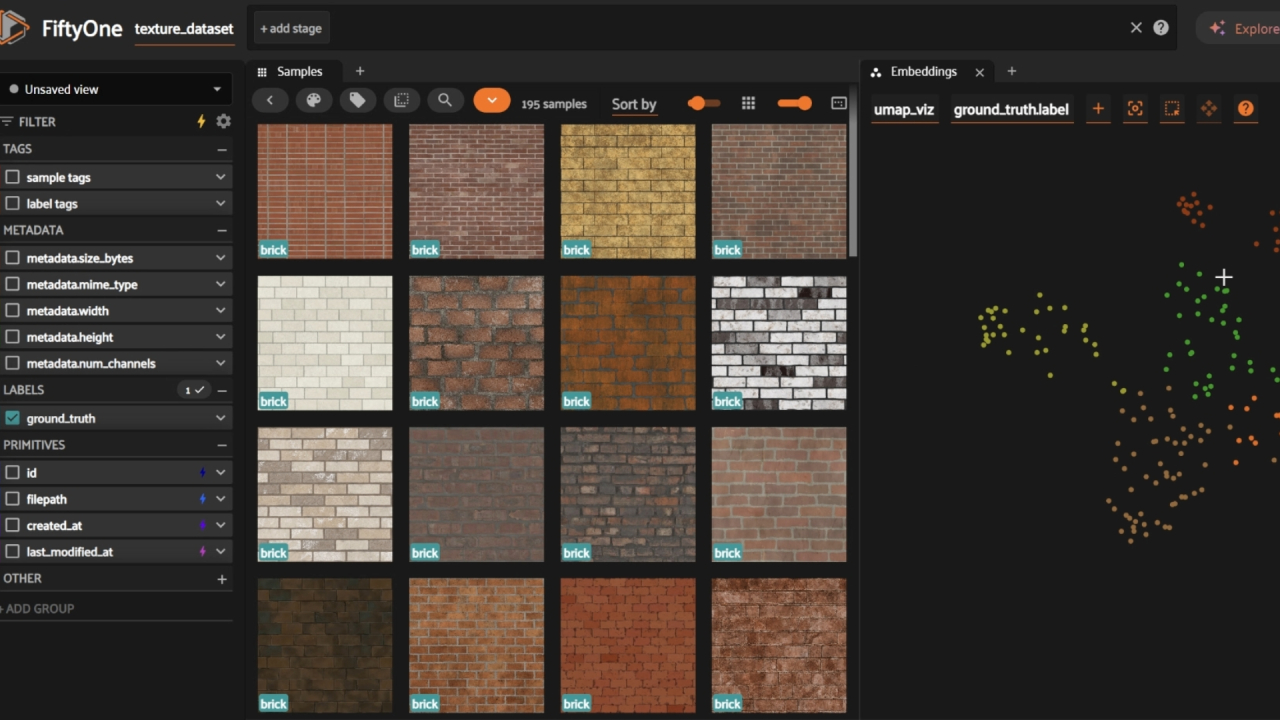
The Voxel51 toolkit helped me evaluate and curate the dataset before the training phase. Their ecosystem includes advanced AI tools to check visual coherence across
samples and cluster them in a graph, which makes it fast to spot edge cases.
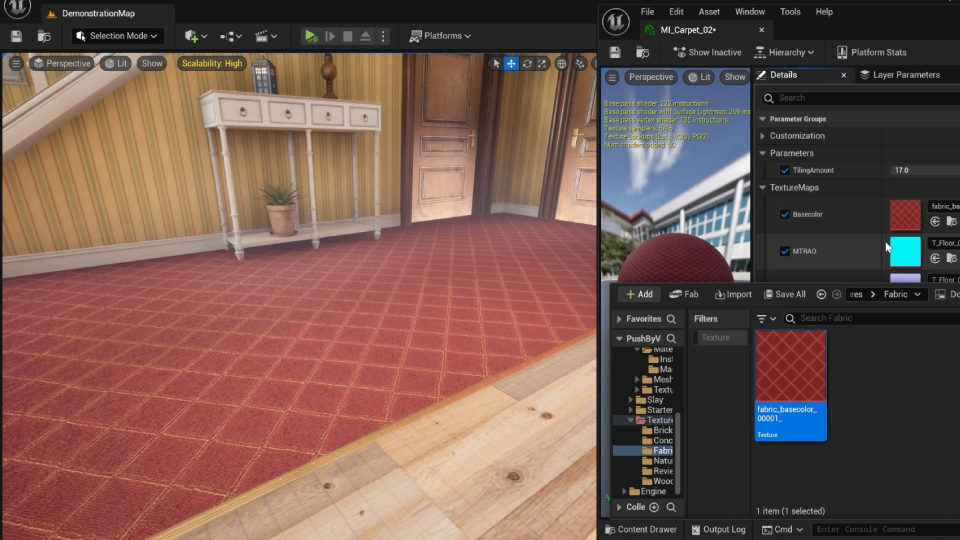
After scanning unseen samples, the pipeline sends assets to their respective folders inside a game engine project directory. That reduces manual sorting, and with it,
potential hiccups downstream.
I genuinely enjoy building the backend of creative projects and serving teams by creating tools that smooth out their experience with the engine. This post doesn't cover
every feature of the pipeline, but the goal was to address some of the questions I get most from colleagues about AI, productivity, and creative fields. My answer is usually
just showing them what I actually do with it: not replacing creative decisions, but reducing the sense of threat with the job insecurity that AI can stir up.
It's not a perfect pipeline. But your work is safe when your blueprint shows: when your passion and your intelligence are present in what you make. No model is trained on that.